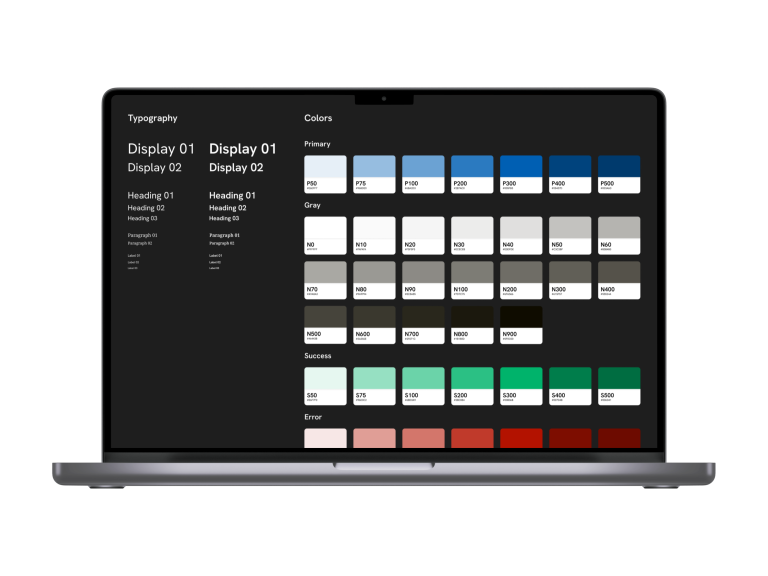
Summer self development project with the goal of learning more about Design Systems
Role
UX/UI-designer
Content
UX/UI Design, Component kit development
Year
2023
Summary
My goal was to deeply understand Design Systems, learning their creation and maintenance, particularly in Figma. I began by studying Brad Frost’s Atomic Design and two bachelor’s theses on design systems. Next, I benchmarked and analyzed several design systems and style guides (Material 3, Fluent 2, Helsinki Design System, Suomi.fi, Tulli, Nokia Pure, Apple). These findings informed the creation of my own Figma “Design System” (more accurately, a component kit). Through tutorials and experimentation, I taught myself the necessary Figma skills, iterating and refining the kit. I also explored helpful Figma plugins (Stark, Typescale, Foundation Color Generator), integrating them into my workflow for increased efficiency and systematic design. The Stark plugin became my go-to accessibility checker. Iterations focused on improved accessibility and leveraging new Figma features. The result was a Figma component kit I have later used as a foundation for other projects, significantly improving my Figma workflows and plugin knowledge. A key takeaway is that design systems are communication tools, and this solo project lacked that collaborative aspect. Also, a design system existing only in a design tool is more of a component kit and style guide than a true design system. Beyond design systems, I aimed to improve my Figma skills, particularly Auto Layout and prototyping.
The goals I set for the project were as follows. To have a deeper understanding of what Design Systems are and to learn how they are created and maintained for example in Figma.
I started the project by reading Brad Frost’s Atomic Design to get an even better understanding of the way of thinking that Design Systems are built upon. The next step was to read two Bachelor’s thesis’ to get a better grasp of what these designers thought about the current state of Design Systems.
After that I moved to benchmarking and analyzing the following Design Systems and Style Guides:
The findings from this step were integrated into the next steps of this learning process.
These served as a starting point for creating my own “Design System” (more of a component kit) in Figma. With the help of educational videos I taught myself the required skills to create a base “Design System” (component kit) that I could iterate on. This involved a lot of trial and error plus also many hours of just messing around in Figma to find better solutions. Teaching yourself can of course be a bit tough and messy sometimes because you are being both the teacher and the student. It was a good thing I had set clear goals for myself and created a road map that I could follow.
During the process I tested possible plugins that could help with speeding up and simplifying my workflow. I found plugins that fit my use cases perfectly and have integrated those to the way I work (improving on being more systematic).
Figma plugins that I used in my process:
Testing accessibility was done with the Stark accessibility plugin. It has now become my standard way of checking color contrasts and other accessibility related values during my process.
With my iterations I improved on the previous versions by improving accessibility and migrating things to newer Figma features that had been published during the process.
The end result was a “Design System” (a Figma component kit) that I have ended up using as a base for multiple projects. It served as a great base for developing my own design workflows in Figma and learning about what plugins are useful for my use cases.
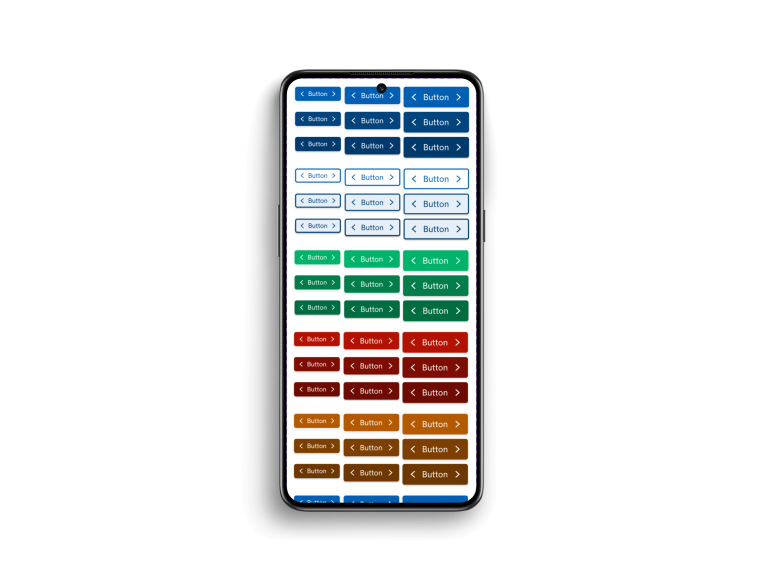
A key takeaway for this project would still be that Design Systems are a tool and a way of communicating things and because this was mainly a solo project, that aspect did not get highlighted enough. This was arguably the biggest downfall of this project, but hey… these failures are great things to learn from. Learning more about this area would be easiest by working within a project or group that handles bigger Design Systems with more users.
Also in this case the “Design System” was only represented as a component kit in Figma, so is it a really a Design System. In my opinion if a Design System exist only in the design tool and does not have development counter part it is not a true Design System but more of a component kit and a style guide.
Ulterior motives of the project were to learn more about Figma and evolve my ways of working here to a more professional and systematic way. So translating the way that I think as a Designer to also better be reflected in the ways I work inside the tools I use.
What did I want to learn in Figma:
Sorry, currently unavailable for new work!
